ChatGPT sells ads now. For local business owners, that raises an obvious question: is this a cheap way to get in front of people early — or an expensive distraction?
Most of the guides out there are vague on the part that actually matters: what it costs, what the minimum is, and what it takes to get an account approved. So I went through the whole setup myself. Here’s what I found inside ChatGPT’s Ads Manager (Beta) — the real numbers, the full flow, and the one gate that stops a lot of small businesses cold.
The short version
You can create a ChatGPT ad campaign with no minimum budget — as little as $1 — but clicks bid at roughly $3–$5 each, so a token budget won’t actually buy traffic. The bigger catch is approval: ChatGPT Ads requires a verified US business with an EIN and a government ID before anything runs, which blocks a lot of sole proprietors. The rest of this is the hands-on detail behind those three facts.
What ChatGPT ads actually are
ChatGPT ads are labeled, sponsored placements — not a takeover of the answer. As of 2026:
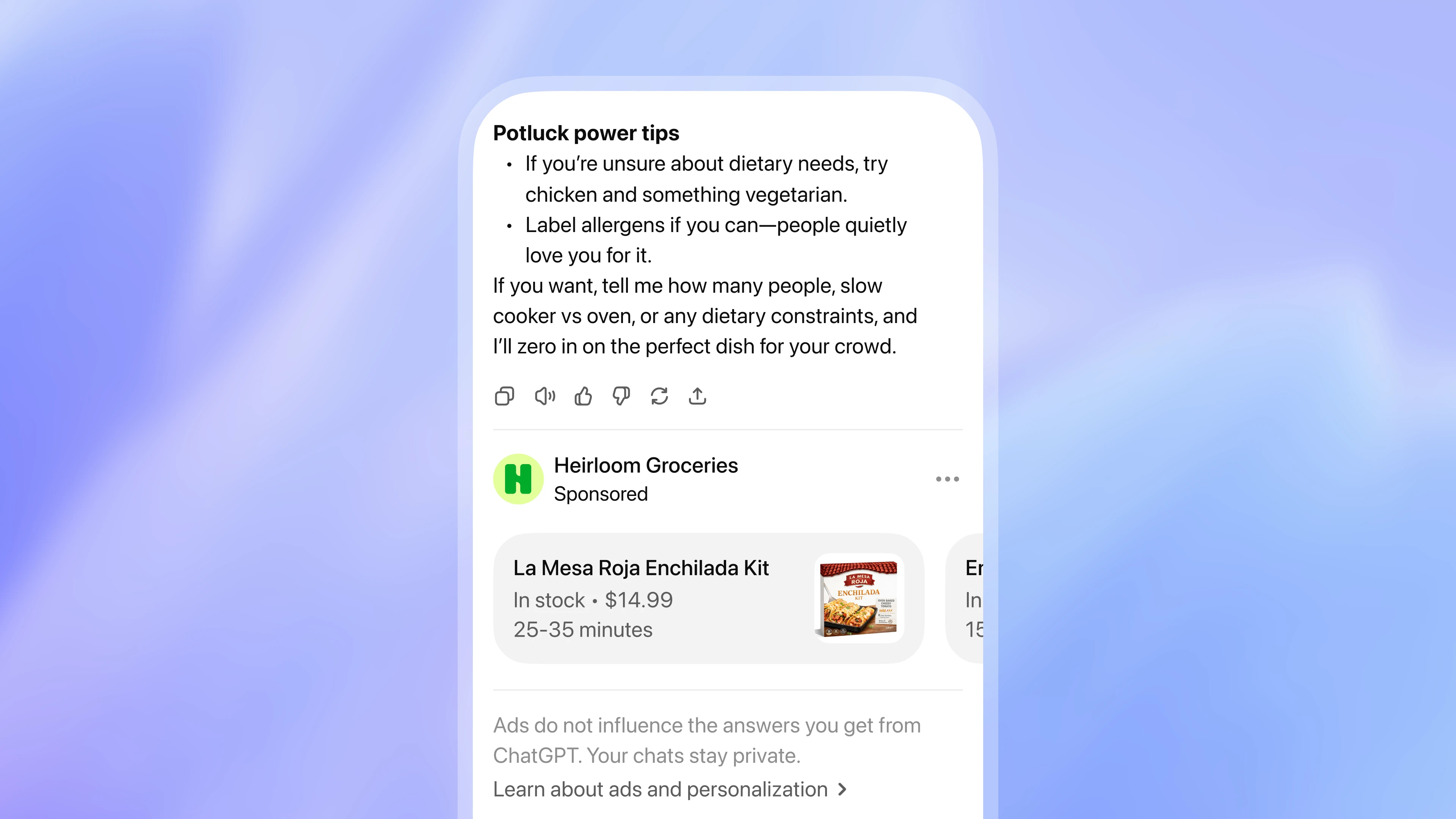
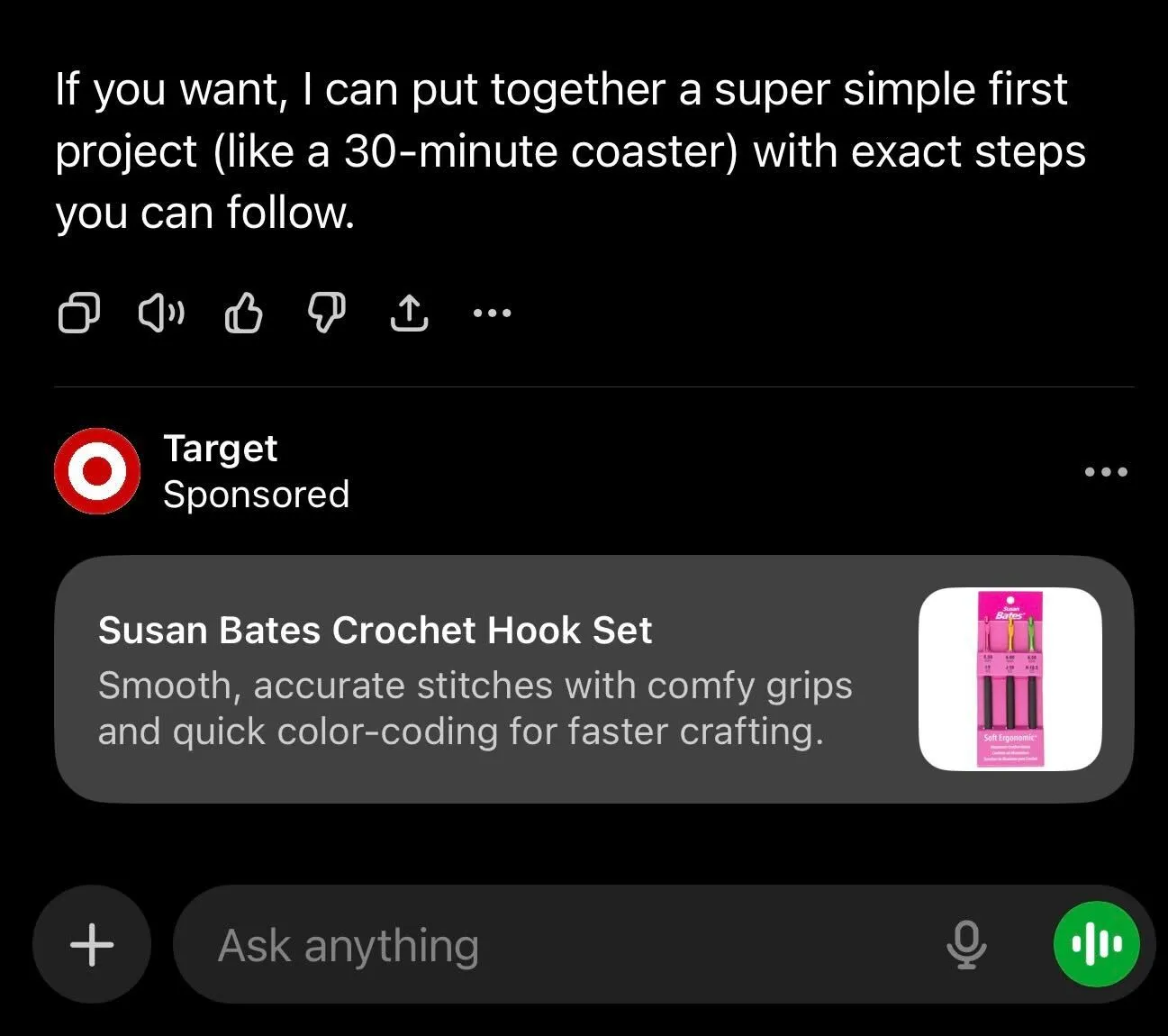
- They appear as “Sponsored” results below the AI’s response, in a clearly labeled, subtly tinted box.
- Only logged-in free users see them. Paid tiers (Plus, Pro, Business, Enterprise) stay ad-free.
- The answer itself stays organic. Ads sit around the conversation; they don’t change which businesses ChatGPT names in its actual recommendation. That part is still earned, not bought — which is exactly why getting recommended by ChatGPT organically still matters more than the ad.
Two real examples of the Sponsored unit — clearly labeled, and sitting below the answer rather than inside it:
What it really costs
Two numbers decide whether this is worth your time: the minimum to start, and what a click actually costs. The first is basically zero. The second isn’t — and the public docs are fuzzy on both.
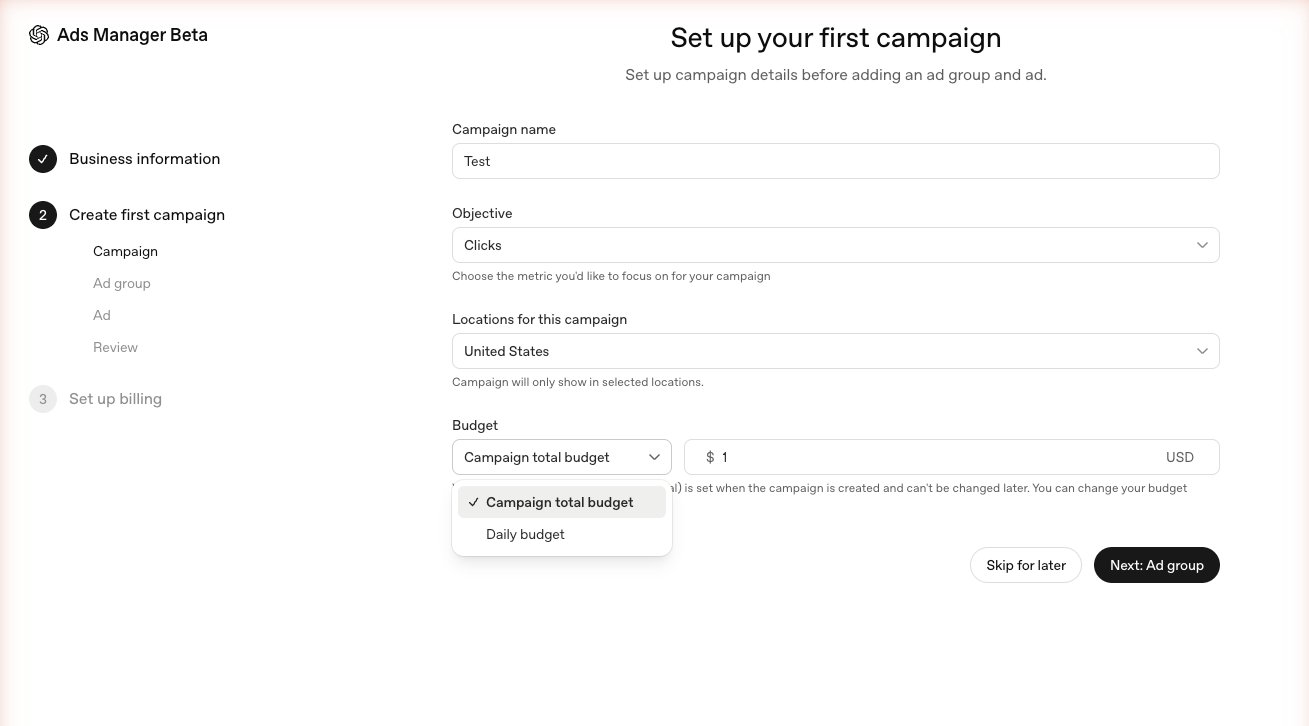
There is no minimum spend. When OpenAI opened the self-serve Ads Manager to all US businesses in 2026, it dropped the minimum to $0. In the campaign setup you can choose a campaign total budget or a daily budget, and the field accepts $1. So the barrier to creating a campaign is basically nothing.
But clicks aren’t cheap. Cost-per-click bids start around $3–$5. The Ads Manager even shows a live delivery meter as you set your max CPC bid:
- A $2 bid gets flagged “May not deliver — your bid may be too low to deliver reliably.”
- A $3 bid flips to “Strong delivery — your bid is likely competitive.”
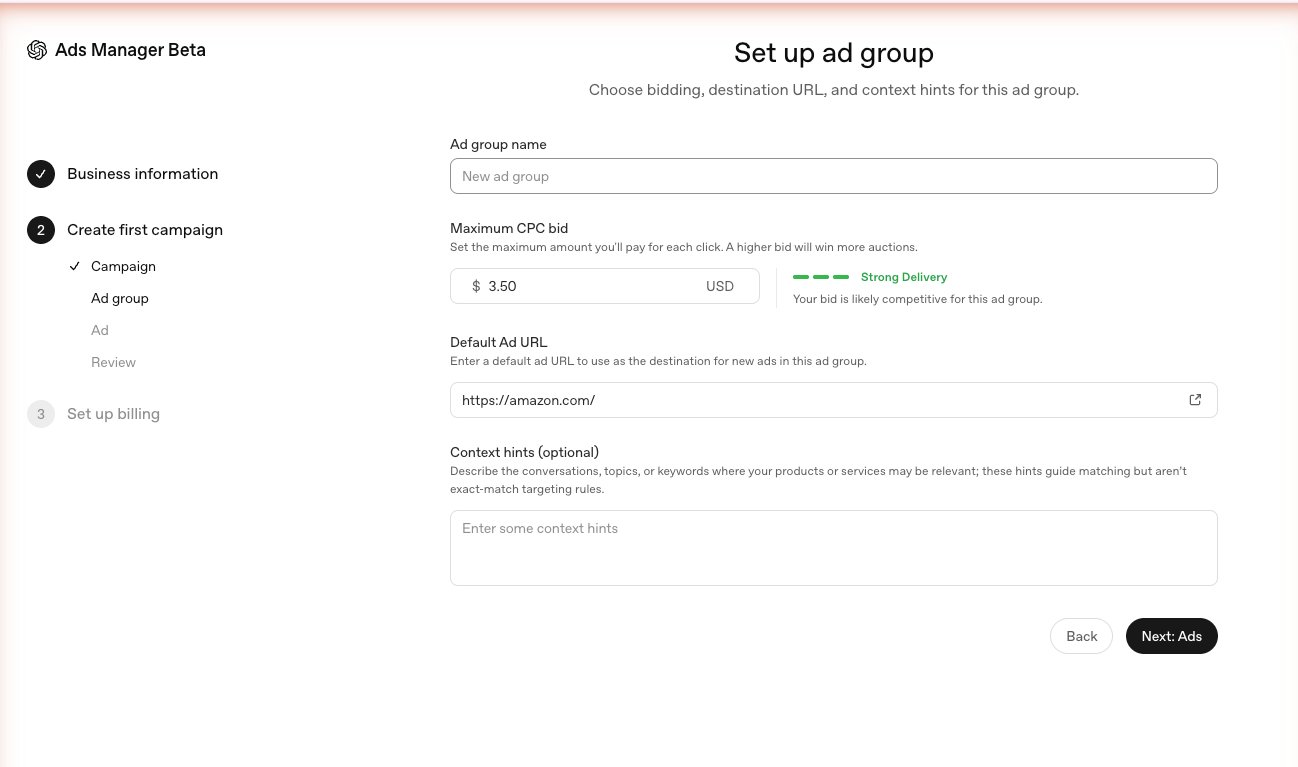
So the honest read: you can get in for a dollar, but to actually buy clicks you need a real bid. At a ~$3 CPC, a $1 budget buys you essentially nothing. Costs also vary by industry — e-commerce and retail tend to sit near that $3–$5 range, while competitive verticals like software and finance run higher.
The practical takeaway for a local service business: budget enough to get a meaningful sample of clicks (think tens of dollars to test, not one), and treat early results as a learning exercise on a platform that’s still maturing.
The full setup, step by step
The flow is short but has a few one-way doors. From inside the Ads Manager:
- Tell us about your business — legal business name, website, and industry.
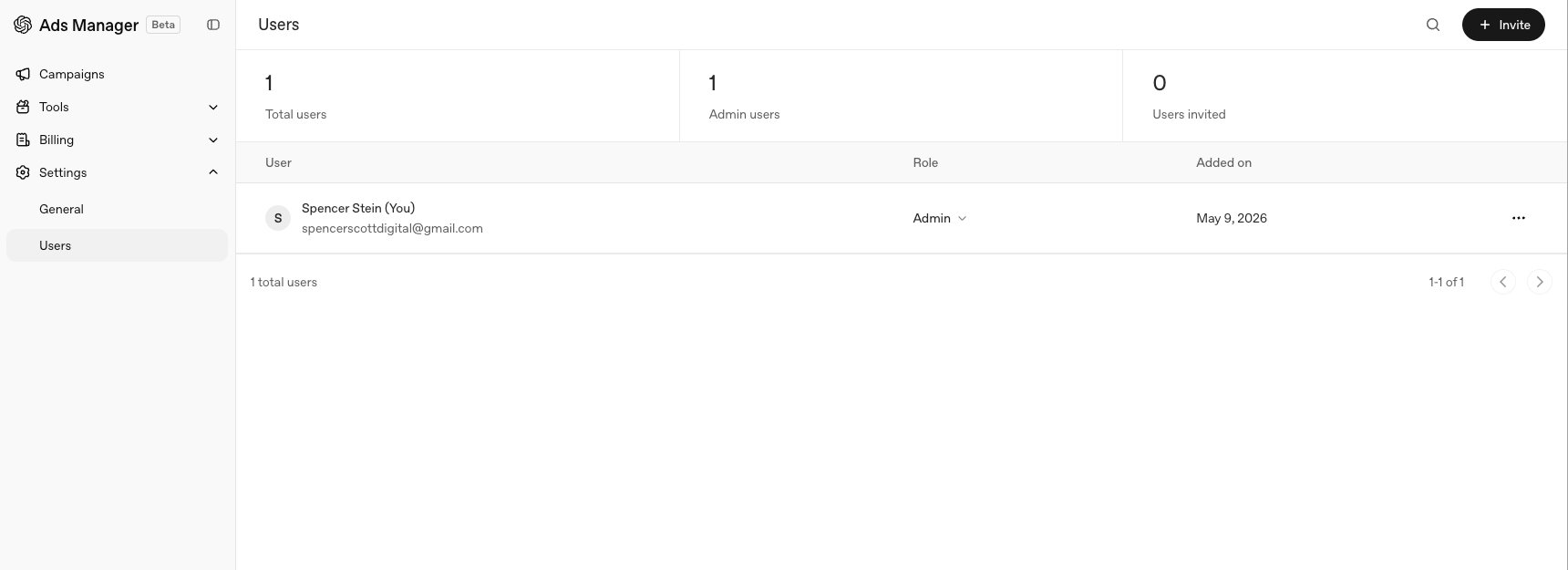
- Confirm your account details — country, currency, time zone, and advertiser type (Business or Individual), plus whether you’re an agency acting for clients. OpenAI warns these settings can’t be changed later, so choose carefully.
- Create the campaign — name, objective (e.g., Clicks), location targeting, and budget (total or daily).
- Create the ad group — your max CPC bid, a default destination URL, and optional context hints (topics and conversations where your service is relevant; these guide matching, but aren’t exact-match keywords).
- Create the ad — business logo, destination URL, a headline (50 characters), a description (100 characters), and a square image (PNG or JPG, at least 256×256 px). A live preview shows how the “Sponsored” unit will look.
Those character limits are tight, so write to them. A service-business example that fits:
- Headline (≤50): Emergency Plumber in Hackensack — Same Day
- Description (≤100): Licensed, insured, local. Burst pipe or clogged drain? Call now for fast Bergen County service.
Lead with the service and the place, put the action in the description, and don’t burn characters on your business name — your logo already carries it.
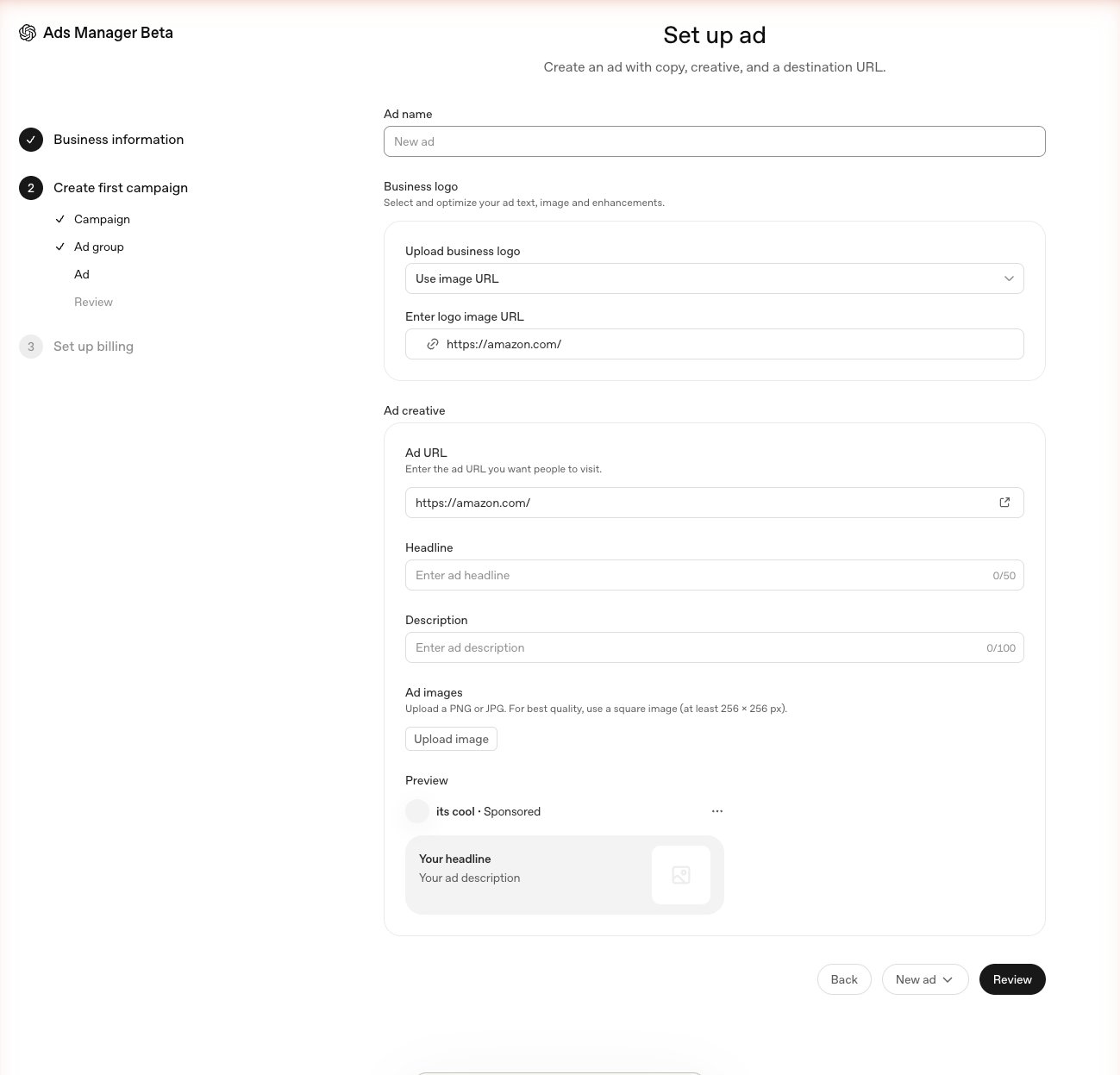
You can build the entire campaign before your account is fully verified — which makes it feel like you’re done. You’re not.
You need an EIN and ID to actually run ads
This is the step that stops the most small businesses, and it’s easy to miss until you’ve already built the campaign.
Before your ads can actually run, ChatGPT Ads Manager requires a verified US business entity, an EIN (tax ID), and a government-issued ID. Verification takes roughly 3–7 days.
That’s a genuine wall for:
- Sole proprietors who operate under their own name and have never needed an EIN.
- Brand-new businesses that haven’t registered yet.
- Agencies trying to onboard accounts on behalf of clients — which the Beta doesn’t support cleanly.
The good news: if you’re a sole proprietor without an EIN, you don’t need to incorporate to get one. You can apply for an EIN directly from the IRS, for free, online, in a few minutes (search “IRS EIN application”). Get the EIN first, then complete verification — that’s the clean way through. Don’t try to game the verification with bad information; you’ll just risk the account.
Before you apply: a 5-minute readiness check
Have these in hand before you start, so verification doesn’t stall halfway:
- A registered US business entity — an LLC, corporation, or sole proprietorship.
- An EIN (tax ID) — free from the IRS online if you don’t have one yet.
- A government-issued photo ID that matches your business details.
- A live business website to send your clicks to.
- A payment method for the ad account.
If any one of those is missing, fix it first. The 3–7 day verification clock only starts once your information checks out.
Measuring results: conversions and feeds
Two more things worth knowing if you go past a test:
- Conversion tracking runs through a data source (a web pixel) you create in the Ads Manager, which generates a client key you install on your site to log conversion events. It’s the ChatGPT-ads equivalent of the tracking you’d set up for Google Ads. On WordPress, Wix, or Squarespace it installs like any other tracking snippet — paste it into your site header or drop it in through a tag manager; a fully custom site may need a developer to place the key.
- Product feeds let retailers list items (merchant name + currency) so products are eligible for ads — relevant if you sell products, less so for service businesses.
ChatGPT Ads vs. Google Search ads, at a glance
For most local businesses, Google is still the workhorse and ChatGPT is the early experiment. Here’s the side-by-side if you’re deciding where a test budget goes:
| ChatGPT Ads (2026) | Google Search Ads | |
|---|---|---|
| Minimum to start | $0 — a $1 campaign budget is accepted | No hard minimum, but needs real budget to learn |
| Effective cost per click | ~$3–$5 to deliver reliably | Varies widely, often $1–$10+ by industry |
| Approval to run | Verified US business + EIN + ID (3–7 days) | Open to almost anyone, near-instant |
| Targeting | Early “context hints,” still maturing | Mature keyword, location, and audience targeting |
| Reporting | Basic, pixel-based conversion tracking | Deep, well-documented tracking |
| Who sees it | Logged-in free ChatGPT users | Anyone searching Google |
| Why bother now | Early, low competition, cheap entry | Volume and reliability today |
One thing the table can’t show: this is all about paid placement. Being the business ChatGPT recommends inside its actual answer is a separate, organic game — and a more valuable one.
So, is it worth it for a local business?
Honestly: as an experiment, maybe — as your foundation, no.
The appeal is real — it’s early, the entry cost is near zero, and most local competitors aren’t even aware it exists. But the verification friction, the $3+ click costs, and the still-young local targeting mean it’s not a reliable lead engine for a neighborhood service business yet.
To make it concrete:
- Worth a small test if: you already have a verified business with an EIN, and ~$50–$100 you’re willing to spend purely to learn the platform.
- Skip it for now if: you’re a sole proprietor without an EIN, you need dependable leads this month, or you haven’t done the organic AI-search work yet.
What it does not replace is the thing that actually gets you named inside ChatGPT’s answers: organic answer-engine optimization. The ad buys you a labeled box below the response; being the business ChatGPT recommends in the response is earned. If you only do one of the two, do the organic work first — start with how to show up on ChatGPT.
A note on accuracy: ChatGPT Ads is in Beta and changing fast — pricing and access shifted several times across 2026. The details here were verified as of June 2026 from hands-on use of the Ads Manager plus current reporting. Check OpenAI’s own help center for the latest before you spend.
Want to know whether ChatGPT recommends your business before you spend a dime on ads? I run a free AI search audit for Bergen County and North Jersey businesses — or call/text (201) 903-3491.